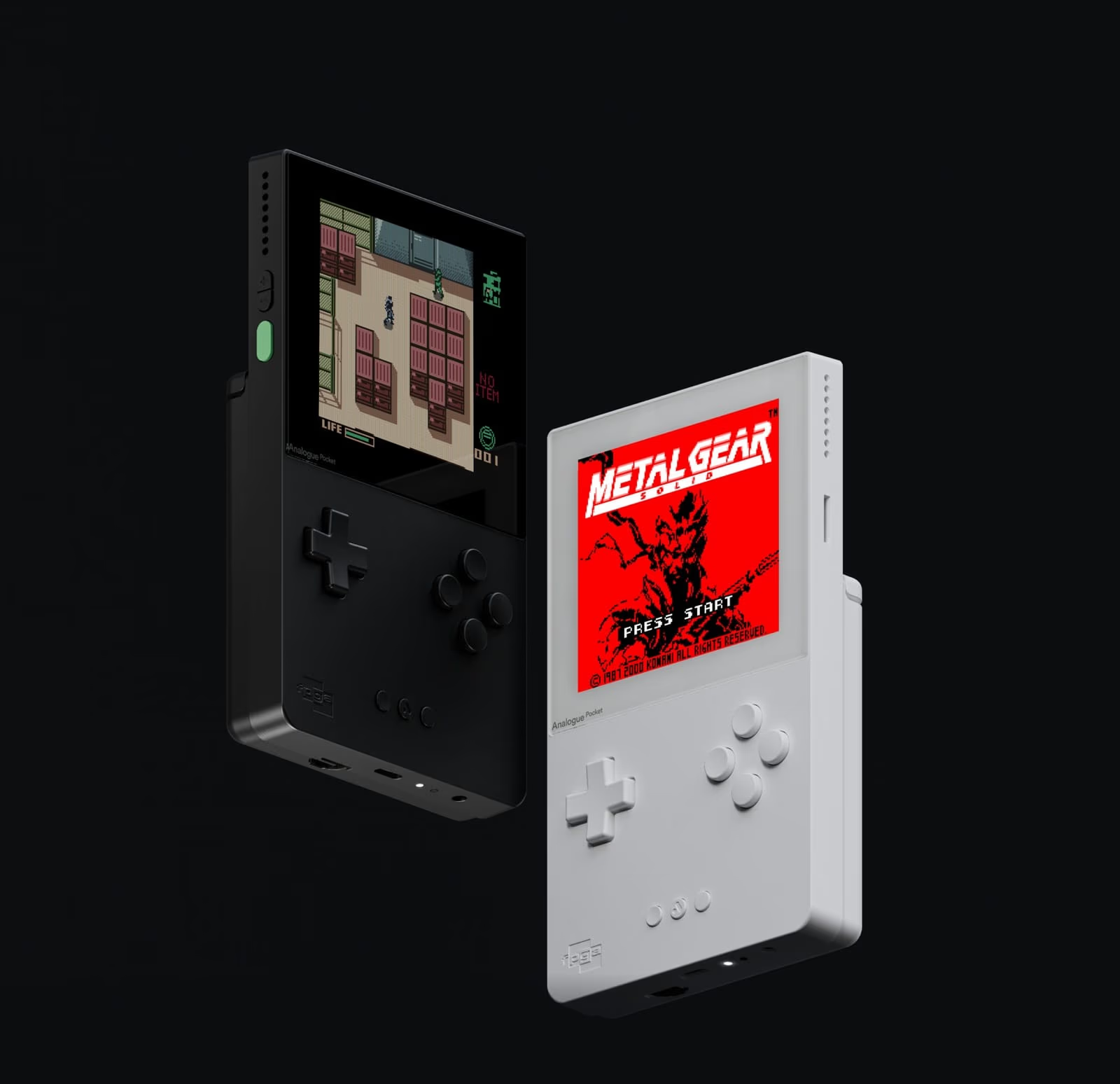
Analogue Pocket openFPGA Cores: The Complete 2026 Guide
openFPGA is Analogue's framework that lets the Analogue Pocket load third-party FPGA cores from its microSD card, so the handheld that plays Game Boy cartridges can also become a NES, a Mega Drive, a Neo Geo or an arcade board. To install a core, update the Pocket to firmware 2.7, then either unzip the core's release onto the root of the SD card (merging its Assets, Cores and Platforms folders with yours) or let an updater such as pupdate or Pocket Sync do it, and launch it from the openFPGA menu. As of 6 November 2026 the community-run openFPGA Library lists 374 core entries, 17 of them Analogizer variants of other cores, and they now include experimental PlayStation, Saturn and Nintendo 64 cores.
This guide was checked on 6 November 2026 against Pocket firmware 2.7 (released 4 September 2026), pupdate 5.9.0, Pocket Sync 7.2.1, RetroDriven's Pocket_Updater v2.0 and the openFPGA Library's data for that day. Core versions are each core's latest GitHub release on that date. Hands-on checks on a Pocket are marked where they are still to be done.
Contents
- What is openFPGA on the Analogue Pocket?
- Where do openFPGA files go on the SD card?
- Which Pocket firmware do you need for openFPGA?
- How do you install cores on the Analogue Pocket?
- What are the best Analogue Pocket cores for each system?
- Is there an N64 core for the Analogue Pocket?
- Is there a PS1 or Saturn core for the Analogue Pocket?
- What are the best arcade cores on the Analogue Pocket?
- How do saves, Memories and sleep work with openFPGA cores?
- Display modes, controllers and the Dock
- Troubleshooting openFPGA cores on the Analogue Pocket
- Frequently asked questions
What is openFPGA on the Analogue Pocket?
The Pocket is "completely engineered in two FPGAs", as Analogue's product page puts it. Analogue's developer overview explains the split: a primary FPGA that core developers use, and a smaller system FPGA reserved for Analogue OS. Analogue's official openFPGA core template builds for an Intel Cyclone V part, the 5CEBA4F23C8. Jotego's CPS3 documentation gives the budget a core has to fit: 3,153,920 bits of block RAM and 32 MB of SDRAM on the Pocket (jtcores CPS3 README).

A core is a hardware design compiled into a bitstream, plus a few JSON files that tell the Pocket what files it needs, which video modes it offers and which buttons it uses. Launching one reconfigures the primary FPGA into that console's circuitry. For why that differs from software emulation, see the FPGA explainer on this site.
There are two kinds of core on a Pocket:
- Analogue's own cores play original cartridges. Game Boy, Game Boy Color and Game Boy Advance cartridges go straight into the slot, and Analogue's adapters add Game Gear, Neo Geo Pocket and Pocket Color, Atari Lynx, and TurboGrafx-16, PC Engine and SuperGrafx (Analogue Pocket page). Support for the Adapter Set's TG16, PC Engine, SuperGrafx, Lynx, NGP and NGPC adapters arrived in firmware 2.2 on 1 March 2024. These cores are built into the firmware and get Memories and Original Display Modes from Analogue directly.
- openFPGA cores are written by third parties, published on GitHub, and load ROMs and other files from the SD card. Each one decides for itself which Pocket features it supports.
The site's Analogue Pocket review covers the hardware itself: the screen, the cartridge slot and the Dock.
Use files from hardware you own
Every core in this guide expects you to supply the games, and many need a BIOS (the console's own system ROM). Dump both from cartridges, discs, consoles or boards you own. For handheld and SNES cartridges, Epilogue's GB Operator (Game Boy, Game Boy Color, Game Boy Advance) and SN Operator (SNES, Super Famicom) back up the game and save data from your own carts. This guide names the BIOS files cores expect so you can check your own dumps, and never where to get them.
Where do openFPGA files go on the SD card?
Each core ships as a zip whose contents mirror the SD card, and Analogue's packaging rules say you install it by extracting it onto the card's base folder. Three places matter:
- Cores/Author.CoreName/ holds the core itself. Analogue's directory documentation says the AuthorName.CoreName naming "must be respected" because the Pocket uses it to load and sort the core list.
- Assets/(platform)/common/ is where your ROMs and BIOS files normally go. Files that only one core should see go in Assets/(platform)/Author.CoreName/ instead.
- Saves/(platform)/ holds battery saves and memory cards. Analogue says the Saves tree should mirror Assets.
Two more folders come with most cores. Platforms/(platform).json is optional metadata (name, category, manufacturer and year), and Platforms/_images/ holds the artwork the menu shows (packaging docs, platform metadata docs). The category is free text of up to 31 characters chosen by whoever wrote the file, which is why the menu shows groupings such as "Arcade Multi" or "Utility" next to Console, Handheld, Arcade and Computer. Save states for openFPGA cores live in Memories/Beta/(author.corename)/.
When a core needs a file and cannot find it, the Pocket opens a file browser at the place it expected the file to be. Optional files that are missing are "silently skipped" (data.json docs).
Which Pocket firmware do you need for openFPGA?
Install the latest firmware, 2.7 (54.5 MB, released 4 September 2026). Analogue's firmware page recommends always using the latest version. Each core states the minimum firmware it needs in its core.json file (the version_required field, core.json docs). In the openFPGA Library's data for 6 November 2026, no core asks for more than 2.3, and 329 of the 373 released cores ask only for 1.1.
Pocket firmware history, 2.0 to 2.7, for openFPGA users
- 2.0, 24 December 2023: openFPGA framework 2.0. Original Display Modes for openFPGA cores, including a CRT Trinitron mode the Pocket unlocks automatically for suitable cores that define no modes of their own. Cores can use a different aspect ratio when docked (2.0 notes).
- 2.1, 17 January 2024, and 2.2, 1 March 2024: a Stretch CRT Width option, a hotkey for USB SD card access and support for files over 4 GB; then the Adapter Set cores (2.1 notes and 2.2 notes).
- 2.3, 10 September 2024: Original Display Modes for NGP, NGPC, TG16 and Lynx under openFPGA, and Core Settings > Reset to Defaults now clears browser history (2.3 notes). The PC Engine CD core needs this version or later (core README).
- 2.4, 18 October 2024, and 2.5, 18 March 2025: Analogue OS renamed PocketOS; (beta) controller remapping now covers all four controllers when docked; then support for more Dock controllers, including Switch Mega Drive and NES pads (2.4 notes and 2.5 notes).
- 2.6.0, 17 June 2026: a Recent category in the openFPGA menu; quitting a core now returns to the openFPGA menu; the menu opens faster when cached; Auto Dim and Auto Off; 8BitDo Pro 3 and 8BitDo 64 support in the Dock (2.6.0 notes).
- 2.7, 4 September 2026: increased maximum platform and core count; pre-cached core lists load twice as fast; faster USB, and unplugging USB while a core runs is no longer unstable (2.7 notes).
Earlier, firmware 1.1 (May 2023) let cores open extra files, and 1.2 (December 2023) added adapter support for openFPGA, shared Assets and docked detection.
How to update the Analogue Pocket firmware
Analogue's updating firmware instructions:
- Download the firmware file from the Pocket firmware page. Version 2.7 downloads as pocket_firmware_2_7.bin.
- Copy it to the root of a microSD card formatted FAT32 or exFAT, and make sure no other firmware file is on the card.
- Power the Pocket off fully, insert the card and power it on.
- The update starts on its own with a progress bar and takes 3 to 4 minutes. The Pocket reboots itself when it finishes.
Analogue's warning: "Do not power off Pocket during this process or disturb the unit in any way." The Dock is updated through the Pocket: insert an updated Pocket into the Dock and follow the on-screen instructions, which takes about a minute.
If a firmware update will not start or does not finish
Analogue's page gives the conditions the update depends on, so check them in order: the card is FAT32 or exFAT; the .bin file sits in the root of the card, not in a folder; it is the only firmware file on the card; and the Pocket was fully powered off, not asleep, when you inserted the card. If the update was interrupted, repeat it with a freshly copied file. On downgrading: Analogue keeps every Pocket release back to 1.1 downloadable from its firmware archive, and its instructions say to "download the firmware file you wish to install", but it does not describe downgrading as a supported process and recommends the latest version. Since no current core needs more than 2.3, there is no openFPGA reason to stay on an older release.
How do you install cores on the Analogue Pocket?
There are three ways: by hand, with pupdate, or with another updater.
Installing an openFPGA core by hand
Analogue's own walkthrough uses the Spacewar! core for the PDP-1 as its example (How to play Spacewar on Analogue Pocket), and the steps are the same for any core:
- Update the firmware to the latest version, as above.
- Download the core's release zip from its GitHub Releases page, not the "Source code" zip. Analogue recommends the naming pattern Author.Core_Version_Date.zip (packaging docs).
- Unzip it and merge its folders onto the root of the SD card. On Windows, dragging the Assets, Cores and Platforms folders onto the card merges them. On a Mac, Finder replaces a folder of the same name rather than merging it, which can wipe out every other core, as several core READMEs warn (agg23's SNES README). Copy the contents of each folder rather than the folders themselves, or use an updater.
- Put your games and any BIOS in Assets/(platform)/common/, unless the core's README says otherwise.
- Launch it from openFPGA, pick the platform, then the game.
To remove a core by hand, delete its folder in Cores/. Its Platforms file and any core-specific Assets folder can go too; your ROMs in common/ and your Saves are separate and stay.
To move files without taking the card out, firmware 2.1's USB SD access hotkey (Analogue + X to enable, Analogue + Y to disable) mounts the card over USB.
Installing cores with pupdate: a first run
pupdate by Matt Pannella is the most complete updater and runs on Windows, macOS and Linux (release 5.9.0, 19 October 2026). A first run, following its README:
- Choose where it runs. Download the release for your system, unzip it, and put the executable on the root of the SD card, or in another folder you use as an install path. To work on a copy of the card on your computer, point it there with the -p option followed by the folder path.
- macOS only: the README suggests removing the quarantine flag from that one file with xattr -d com.apple.quarantine followed by the path to pupdate, and warns "use sparingly".
- Open Settings before anything else. Settings are stored in pupdate_settings.json and can be toggled from the menu. Decide on download_assets now (see below), and consider backup_saves (zips your Saves and Memories folders during Update All) and preserve_platforms_folder (keeps names and artwork you have customised).
- Select Cores. pupdate first asks how to treat new cores: Yes (install new cores automatically), No (never install them unprompted) or Ask (prompt on each run). Then you pick the cores you want from the full list.
- Update All. It checks for firmware, backs up saves, installs or updates every selected core, downloads missing assets, removes unselected cores if you enabled that, builds instance JSON files for cores that use them, renames Jotego cores to friendly titles, and runs plugin updates. Steps tied to a setting only run if that setting is on.
- To uninstall a core, use Pocket Maintenance > Uninstall Select Cores, which can also remove that core's own Assets folder while leaving your ROMs and saves alone, or run pupdate uninstall with -c and the core id.
Also worth knowing: pinned_version holds a core at a release you trust, github_token raises GitHub's rate limit, and an experimental setting hides cores above an AI-generation threshold you choose (ai_core_threshold, default 100, which hides nothing).
What pupdate can download, stated plainly. Its Download Assets option, and the download_assets setting (on by default), fetch "ROMs, BIOS, and other files" for your selected cores from internet archives configured in the settings file. The README adds: "You supply your own ROMs for non-arcade cores where the archive does not provide them." This guide does not recommend that feature. Turn download_assets off and use your own dumps.
Pocket Sync, RetroDriven's Pocket_Updater and the openFPGA Library
Pocket Sync by Neil Morrison is a graphical app for Windows, macOS and Linux that installs and configures cores, backs up saves, manages save states, exports screenshots and installs firmware. Version 7.0.0 added an Update tab that "updates & installs all cores (with filters)", and v7.2.1 shipped on 6 November 2026. The SD card "will need to have been initialised by the Pocket" first.
RetroDriven's Pocket_Updater is Windows only and updates cores and firmware and installs image packs. v2.0, a redesign, came out on 18 September 2026. Like pupdate it has a Download Roms/Bios setting, which you can leave off.
All three draw on the openFPGA Library (source at openfpga-library/analogue-pocket), the community list formerly called the openFPGA Cores Inventory, and the best place to browse what exists.
What are the best Analogue Pocket cores for each system?
The picks below come from the openFPGA Library's data and each core's own GitHub repository, checked on 6 November 2026. Versions and dates are each core's latest GitHub release. "BIOS" means the core needs a system ROM dumped from your own hardware; only the file name and folder are given.
AI-written and AI-assisted cores. Many 2026 cores say in their READMEs that AI tools were involved, and the authors use different words for how much:
- AI wrote most or all of the code, by the README's own account: the PlayStation core ("OpenAI Codex and Anthropic Claude wrote most of the new HDL"), the 32X core ("All of the code and documentation in this repository was written with Claude Code"), the Mega CD core ("created solely through Claude") and the Neo Geo Pocket Color core ("This port was created by AI").
- Described as assisted: drizzt's Mega Drive and Master System cores and mincer-ray's GBA core ("LLM assisted port"), Miasmark's 2600 and 7800 cores ("assisted by Claude") and MIRLO 64 ("This development is AI assisted").
Most of these authors say they test every build on real hardware. Whatever the origin, treat any new core as an early release and back up your saves before trying it.
Home consoles
- NES / Famicom: agg23.NES 1.0.1 (17 September 2024). No BIOS. Memories and sleep for most mappers. Mapper parity with MiSTer except VRC7 audio. The author advises against PAL games. Four players in the Dock with Use Multitap on.
- SNES / Super Famicom: agg23.SNES 0.4.4 (17 September 2024). No BIOS. Supports SA-1, Super FX, DSP, CX4, S-DD1, SPC7110, ST010 and BS-X (patched ROMs). No Super Game Boy, ST011, ST018 or MSU. No save states, Memories or sleep, and the README says support "will not be coming". Four players with Use Multitap.
- Mega Drive / Genesis: drizzt.MegaDrive v0.3.0 (5 August 2026). No BIOS. A beta port of the gate-level Nuked-MD design via MiSTer, with SVP (Virtua Racing) and SSF2 banking. No save states, J-Cart or Pier Solar. Spiritualized.Genesis 1.0.8 (2022) is the older alternative.
- Sega 32X: armyofgnomes.32X v0.4.3 (2 October 2026). BIOS: 32X_G_BIOS.BIN, 32X_M_BIOS.BIN and 32X_S_BIOS.BIN in Assets/32x/common/. A work in progress, but "every 32X game tested so far is playable". No Memories or sleep, no PAL timing (European games run about 1% fast), no Sega CD 32X games, two players only.
- Mega CD / Sega CD: jeremy.MegaCD (neutralinsomniac/openfpga-megacd) 0.3.8 (5 November 2026). BIOS: any .bin file in Assets/megacd/common/. Load the .cue from Core Settings and format the backup RAM in the BIOS menu on first boot. No Backup RAM Cart yet, and no Memories.
- Master System and SG-1000: drizzt.SMS and drizzt.SG-1000 v1.6.1 (5 September 2026). No BIOS: a free boot ROM is built in. Memories and sleep. FM sound and real PAL timing. No light gun, paddle or SK-1100 keyboard.
- TurboGrafx-16 / PC Engine: agg23.PC Engine 1.0.1 (17 September 2024). No BIOS. HuCards only; SuperGrafx games need the .sgx extension. Four players with Use Turbo Tap. Your own HuCards also play through Analogue's TG16 adapter.
- PC Engine CD: Mazamars312.PC Engine CD 0.2.3 beta (12 September 2024). BIOS: a CD-ROM System Card image in Assets/pcecd/common/. Needs firmware 2.3. Discs must be .cue and .bin, never CHD. Since version 0.2.0 the core loads the .cue directly, which the README celebrates as "NO MORE JSONS!!!"; older guides, and pupdate's instance JSON generator, still describe per-game JSON files. No SuperGrafx or M128 memory, and no Memories.
- Neo Geo (AES and MVS): Mazamars312.NeoGeo 0.8.1 (17 January 2023). BIOS: uni-bios_4_0.rom, 000-lo.lo and sfix.sfix in assets/ng/common. Switch AES or MVS in Core Settings (the core reboots). Games load as per-game JSON files with split ROM files, not .neo files. The clock does not work. No Memories. Not updated since January 2023.
- PlayStation: GuardianSoul.PlayStation v0.5.8 (5 November 2026). See the PlayStation section below.
- Sega Saturn: akoaysigod.Saturn v0.1.1 (5 November 2026). See below.
- Nintendo 64: MIRLO 64 v0.8 pre-release (4 November 2026). See the N64 section below.
- Atari 2600: Miasmark.2600 1.0.1 (25 October 2026). Optional supercharger.bin for Starpath Supercharger games. Wide mapper support, including the ARM schemes DPC+, CDF and CDFJ. No sleep or Memories.
- Atari 7800: Miasmark.7800 2.2.5 (31 October 2026). Optional 7800bios.bin, skipped by default. Replaces the 2022 Spiritualized core. No sleep or Memories.
- Atari 5200 and Jaguar: danmorelle.Atari5200 v0.1.0 (18 October 2026, BIOS 5200.rom) and mmnbass.Jaguar v0.1.3 (30 October 2026, BIOS jagboot.rom, cartridges only, audio issues still under investigation). Both are very new.
- ColecoVision, Intellivision, Odyssey 2, Channel F: Spiritualized's 2022 cores (Coleco, Intellivision, Odyssey 2, Channel F), all needing a BIOS (coleco.bin, exec.intv, o2bios.bin, cfbios.bin).
- Vectrex: obsidian.Vectrex v0.9.4 (30 April 2024). BIOS vectrex.bin. Screen overlays supported.
- Also available: first releases for the Bally Astrocade and Philips CD-i, both needing a BIOS. There is no Neo Geo CD core in the openFPGA Library.
Handhelds
- Game Boy / Game Boy Color: budude2.GB and budude2.GBC 1.4.0 (13 April 2026). BIOS: gbc_bios.bin in Assets/gbc/common, gb_bios.bin and sgb_boot.bin in Assets/gb/common. Memories and sleep, RTC, fast forward, Super Game Boy borders and palettes. For cartridges you need no openFPGA core: Analogue's built-in core plays them.
- Game Boy Advance: mincer_ray.GBA v1.0.1 (25 October 2026). BIOS: gba_bios.bin in Assets/gba/common/. Save states, fast forward on Y, turbo on X, RTC, link cable for 2 to 4 players, GBA Wireless and DS Rumble Pak. Fast forward tears, and 64 MB GBA Video carts do not work. Spiritualized.GBA 1.2.0 (2022) is the older alternative.
- Game Gear: drizzt.GG, in the same release as the SMS core. No BIOS. Memories and sleep, and a Gear-to-Gear link between two Pockets with a link cable. Cartridges also play through Analogue's Game Gear adapter.
- Neo Geo Pocket / Color: janisc.NGPC v1.2.0 (24 October 2026). Needs the colour and mono BIOS. Memories and sleep. An experimental link cable mode that has not yet run on two real Pockets. Cartridges also play through Analogue's adapter.
- Atari Lynx: budude2.Lynx v1.0.1 (2 September 2024). BIOS lynxboot.img in Assets/lynx/common. No sleep. Cartridges also play through Analogue's Lynx adapter.
- WonderSwan / Color: agg23.WonderSwan 1.0.1 (7 May 2023). BIOS bw.rom and color.rom in Assets/wonderswan/common/. Memories supported. The WonderSwan's 75.4 Hz refresh means choosing between tearing and the smoother but laggier Triple Buffer.
- Virtual Boy: maxhoov.VirtualBoy v1.0.0 (6 October 2026). No BIOS. Save states and sleep. Not yet cycle-exact, and full controls need a Dock controller with a right stick and L2/R2.
- Also available: agg23's Game & Watch (0.2.0, built from files made with the project's own generator) and Pokémon Mini (0.2.0) cores.
Computer cores
The Pocket has no keyboard, so computer cores rely on an on-screen keyboard, a USB keyboard on the Dock, or both:
- Amiga: Mazamars312.Amiga 0.2.3 (26 November 2025). Needs a Kickstart ROM from your own Amiga. Keyboard and mouse through the Dock.
- Commodore 64: defgenx.C64 v0.2.4 (4 November 2026), an "early pre-release, not yet tested on hardware", in its README's words.
- MSX2: plasticbugs.msx2 v0.5.5 (28 October 2026). C-BIOS built in.
- Also available: IBM PC/XT v1.0.1, Apple IIe 0.3.2, Amstrad CPC v0.3.0 (discs read-only) and ZX Spectrum v0.7.0 beta.
Is there an N64 core for the Analogue Pocket?
Yes, as of November 2026, but it is experimental. MIRLO 64 by tortuga (tortugaveloz/MIRLO64) is an N64 core "made specifically to fit in the Analogue Pocket", written from scratch in SystemVerilog. Its latest build is v0.8, published on 4 November 2026 and marked as a pre-release on GitHub. From its README:
- The CPU, RSP and RDP are all in hardware, and the RSP runs each game's own microcode. A small runtime file, n64rt.sys, handles the console's surroundings (the PIF, cartridge, saves and save states), and the README says it "emulates no instruction of the CPU".
- It supports Sleep and Memories, up to four controllers through the Dock, Controller Pak, Transfer Pak (including a real Game Boy cartridge in the Pocket's own slot), EEPROM, SRAM and FlashRAM saves, and an 8 MB Expansion Pak mode.
- Games must be .z64 (big-endian) files of up to 64 MB, in Assets/n64/common/. Launch from openFPGA > Console > Nintendo 64. No BIOS is needed.
- "It is experimental and not every game works." The Rumble Pak is not supported, which the author puts down to the Dock. The design fills about 97% of the FPGA's logic.
- Memories made with v0.7 "may not be compatible with v0.8", according to the v0.8 release notes.
Which N64 games work? There is no compatibility list. Each release names the games the author tested for it: GoldenEye 007, Mario Tennis, F-Zero X, Yoshi's Story, Star Wars Episode I: Racer, Conker's Bad Fur Day and others for v0.2; Donkey Kong 64, Banjo-Tooie, Jet Force Gemini and Mega Man 64 for v0.3; and Killer Instinct Gold, Paper Mario and Quake II for v0.4. The v0.8 notes list fixes for The Legend of Zelda: Majora's Mask and Paper Mario. Each list comes with the same caveat: "Many other games may now work, though I have not done extensive testing and some may show issues."
For N64 cartridges on a TV, Analogue's own Analogue 3D is the purpose-built option, and the site's N64 emulation guide covers software.
Is there a PS1 or Saturn core for the Analogue Pocket?
Both exist, and both are very new.
GuardianSoul.PlayStation is built on the MiSTer PSX core. Its README says "most games tried so far play with sound, FMVs and CD music. Some may still glitch or not boot." What to know:
- It needs a BIOS from your own console in Assets/playstation/common/, for example scph5501.bin, scph5500.bin or scph5502.bin. Each disc goes in its own folder as .cue and .bin files.
- It cannot read CHD files directly, because decompressing them needs room on a chip that "the PlayStation core already fills". The author's plugin for pupdate and Pocket Sync converts CHD to .cue and .bin and generates per-game files that enable CD music, disc swapping, and one memory card shared across a multi-disc game.
- Some European discs with LibCrypt protection also need a matching .sbi file for your disc, or they can freeze.
- Memory cards are written to the SD card only when you quit through the Pocket menu: "Quit through the Pocket menu before you turn the Pocket off."
- Some games run slower than on a real console. An optional Turbo Mode removes memory wait states, which helps, at the cost of accuracy.
A separate PlayStation core, akoaysigod's (v0.3.1, 5 November 2026), also exists.
akoaysigod.Saturn is a port of the MiSTer Saturn core by srg320, "trimmed to fit the Pocket's Cyclone V FPGA". Its first release, v0.1 on 4 November 2026, "should open and boot every game, in theory", with known performance problems in Doom and Fighters Megamix. v0.1.1 followed a day later. At two days old, treat it as a preview.
What are the best arcade cores on the Analogue Pocket?
Arcade is the Pocket's biggest category: in the openFPGA Library's data for 6 November 2026, 229 of the 374 entries are filed under Arcade. Arcade cores load a game through a small .json file plus a .rom file that you build from your own board's MAME-format ROM set, using the MRA definition files the developers publish.
Arcade picks
- Capcom CPS1, CPS1.5 and CPS2 (Final Fight, Cadillacs and Dinosaurs, Darkstalkers): Jotego's jtcps1, jtcps15 and jtcps2 from jtbin, built from jtcores commit 660989b (24 October 2026). Public.
- Sega System 16, 16B and 18, Out Run: Jotego's jts16, jts16b, jts18 and jtoutrun, same build. Public.
- Konami (The Simpsons, Sunset Riders, TMNT): Jotego's jtsimson, jtriders and jttmnt, same build. Public.
- Raizing and Technos (Battle Garegga, Armed Police Batrider, Double Dragon 3, WWF WrestleFest): the Coin-Op Collection. Public, free.
- Midway, Tecmo and Toaplan (Mortal Kombat, Smash TV, Ninja Gaiden, Truxton, Zero Wing): the Coin-Op Collection. Beta, needing Patreon membership.
- Cave (DonPachi, DoDonPachi, ESP Ra.De.): Frazilpop's Cave 68000 v1.1.2 (5 November 2026).
- Neo Geo: Mazamars312's core, listed under home consoles above.
- Namco System 11 (Tekken, Tekken 2, Soul Edge), experimental: McNast13's NamcoSystem11-Pocket v0.2.1 (29 October 2026).
Jotego. jtbin's pocket/raw/Cores folder held 88 Pocket cores on 6 November 2026, from Capcom, Sega, Konami, Data East, Technos, Taito and Namco boards. The jtbin README says new Pocket cores are "offered only via Patreon" first and move to the public repository later. Beta cores need beta.bin, from the jtbeta.zip key, in Assets/jtpatreon/common, and each game's .rom goes in Assets/(corename)/common (Jotego's Pocket wiki page).
Jotego does not build his CPS3 core (Street Fighter III) for the Pocket. His build configuration excludes the Pocket target with the comment "Not enough BRAM" (macros.def), and the CPS3 README notes that platforms with under 64 MB of SDRAM cannot hold a game, against the Pocket's 32 MB.
The Coin-Op Collection. Its distribution repository groups its games under Eighting/Raizing, Midway/Williams, Technos, Tecmo and Toaplan hardware; the openFPGA Library's data also lists Coin-Op cores for Data East and Taito boards. Public cores are free, and beta cores need Patreon membership, with pupdate fetching the licence. The repository distributes cores only, with no ROMs.
Other active arcade authors include plasticbugs (Gaiapolis v0.3.2, 29 October 2026, plus Atari System 2, Punch-Out!! and NBA Jam) and obsidian-dot-dev (Robotron, Defender, Gauntlet). The Gaiapolis core also turns up in this site's Gaelco 3D news story, because its SDRAM controller was reused for the MiSTer port.
How do saves, Memories and sleep work with openFPGA cores?
openFPGA cores can support any combination of three things:
- In-game saves (battery RAM, EEPROM, memory cards) are written to Saves/(platform)/ as .sav files. Nearly every core supports them. Some, including the PlayStation and N64 cores, write the file only when you quit through the menu, so quit properly before switching off.
- Memories are Analogue's save states. Analogue's directory documentation says "Users can create 128 memories per openFPGA core", stored under Memories/Beta/. A core has to implement them itself, and many do not.
- Sleep suspends the game when you tap the power button. A core opts in with the sleep_supported flag in core.json, and in the openFPGA Library data for 6 November 2026 only 33 of 373 released cores set it.
Two things catch people out:
- Switching cores for the same system can break saves. drizzt's Mega Drive README warns that every Genesis core on the Pocket writes the same save file for a given ROM, the cores do not agree on the format, and a save from one may not load in another. Back up Saves/genesis before switching. janisc's NGPC README also warns that downgrading to 1.0.x can destroy saves.
- Memories can break between versions of a young core, as MIRLO 64's v0.8 notes show. Keep in-game saves for anything you care about in a pre-1.0 core.
Back up regularly: pupdate's backup_saves setting and Pocket Sync's save backup both cover this.

Display modes, controllers and the Dock
Since firmware 2.0, openFPGA cores can use Analogue's Original Display Modes, filters that recreate the look of a particular screen. Each core lists the ones it supports in its video.json file, from 22 that Analogue documents (video.json docs): a CRT Trinitron mode, LCD looks modelled on Game Boy, Game Gear, Neo Geo Pocket, TurboExpress and Lynx screens, and a couple of novelty modes. A core can also set a separate docked aspect ratio and up to eight scaler presets, which is how the SNES core offers Square Pixels.

The Analogue Dock outputs 1080p over HDMI and takes up to four players: four over Bluetooth, two over 2.4 GHz and two wired over USB (Analogue Pocket page). Each core can define up to four controllers with up to eight mapped buttons each (input.json docs), and firmware 2.4 extended (beta) controller remapping to all four docked controllers. Multiplayer still depends on the core:
- agg23's NES and SNES cores need Use Multitap switched on for four players; his PC Engine core uses Use Turbo Tap.
- The 32X core supports two players only.
- The PlayStation core gives player 2 a full DualShock layout in the Dock, but its Select shortcuts work only for player 1.
- The N64 core supports four controllers in the Dock.
- Cores for consoles with more buttons than the Pocket (Virtual Boy, PlayStation, N64) work best docked with a pad that has two sticks and L2/R2.
- Computer cores such as the Amiga, IBM PC/XT and Commodore 64 accept a USB keyboard and mouse through the Dock, according to their READMEs.
Analogue's 2.5 release notes include a reminder of the shortcuts for Dock controllers without a menu button: hold Select and press Down to open the menu, hold Up and press Select to create a save state, and hold Down and press Select to quick-load one once that is enabled in the menu. The save-state shortcuts only do something in a core that supports Memories. To keep the Pocket's own screen on while docked, enable Docked Display under Tools > Developer (firmware 1.2).
Troubleshooting openFPGA cores on the Analogue Pocket
The openFPGA menu crashes, loops or hangs. Before firmware 2.7, too many installed platforms crashed the menu. pupdate's maintainer explained the cause in issue #503: the Pocket builds a cache file, core_viewby_platform.bin, with a maximum size of 32,768 bytes, which grows by roughly 120 bytes per installed platform, and when it overflows openFPGA "just crashes". Firmware 2.7 "increased maximum platform/core count", so update first. If you are still over the limit, pupdate can archive unused platforms so the Pocket ignores them (pupdate 4.14.0 notes).
A core is installed but does not appear. Check that its folder sits directly under Cores/ with its Author.CoreName name intact, and that the Platforms file from the zip was copied too. On a Mac, check that Finder did not replace your Cores or Platforms folder instead of merging it. Pocket Sync has a repair action for a missing platform file, and a Clean Files tool that removes the hidden files beginning with ._ that macOS writes onto memory cards.
The Pocket opens a file browser as soon as you launch a core. That is how the Pocket reports a missing required file: it opens a browser where it expected the file (data.json docs). It is usually a BIOS. Check the exact name and folder in the core's README, then add your own dump. Some cores report a missing file their own way instead: the 32X core shows "a screen naming the missing file" if one of its three BIOS files is absent.
"Missing ROM Id [1]" in an arcade core. For Jotego cores, the core is fine but the game's .rom is missing or was not built from a matching ROM set (Jotego's Pocket wiki). pupdate's README adds that if it appears for an _alternatives entry, turning off "Skip alternative ROMs" makes pupdate check those too.
Firmware too old for a core. Every core states its minimum in core.json, and Pocket Sync warns when a core needs newer firmware than the card has. Update to 2.7.
SD card not recognised by a tool. Analogue specifies a microSD card "formatted to FAT32 or ExFat" (updating firmware), and Pocket Sync needs the card to have been initialised by the Pocket. Boot the Pocket once with a new card before loading it up.
pupdate hits GitHub's rate limit. Add a GitHub personal access token as github_token in its settings, as its README suggests.
Frequently asked questions
Does the Analogue Pocket play SNES games?
Yes, through agg23's openFPGA SNES core, a port of the MiSTer SNES core that supports enhancement chips including Super FX, SA-1 and DSP. You load ROM files from the SD card, as there is no SNES cartridge adapter. Use in-game saves, since the core has no Memories.
What is the best Analogue Pocket core to start with?
agg23's NES core: it is mature, needs no BIOS, supports Memories and sleep, and plays four players in the Dock. drizzt's Master System and Game Gear core needs no BIOS either. mincer-ray's GBA core is well maintained, but needs a GBA BIOS dumped from your own console.
Do I need pupdate to use openFPGA?
No. Every core can be installed by unzipping its release onto the SD card. Updaters save time once you have more than a handful of cores.
Can the Analogue Pocket play N64 games?
Only through MIRLO 64, an experimental core at version 0.8. Its author says not every game works, so expect gaps.
Are openFPGA cores legal?
The cores are open-source or freely distributed hardware designs. What matters is the software you run on them: Jotego, for example, licenses his cores only for use with ROMs you legally own. Dump games and BIOS files from hardware you own.
Do openFPGA cores work on other Analogue consoles?
The cores in this guide are built for the Pocket's own FPGA and file layout, and core.json requires target_product to be "Analogue Pocket" (core.json docs). Analogue's product pages say the new Super Nt+ and Mega Sg+ do not support openFPGA at all, as covered in this site's news story.
Why does my core show the wrong name or no picture in the menu?
The name, category and artwork come from the files in Platforms/, supplied by core authors and the community. Updaters can install image packs, and pupdate's preserve_platforms_folder setting stops updates overwriting your changes.
Sources
Every source below was opened and read for this guide on 6 November 2026.
Analogue (official)
- Pocket product page
- Pocket firmware archive
- Firmware 2.7 release notes
- Firmware 2.6.0 release notes
- Firmware 2.5 release notes
- Firmware 2.4 release notes
- Firmware 2.3 release notes
- Firmware 2.2 release notes
- Firmware 2.1 release notes
- Firmware 2.0 release notes
- Firmware 1.2 release notes
- Firmware 1.1 release notes
- Updating Firmware
- How to play Spacewar on Analogue Pocket
- openFPGA developer overview
- Directories and SD folder structure
- Packaging a core
- core.json
- data.json
- video.json
- input.json
- Platform metadata
- openFPGA core template
Core library and updaters
- openFPGA Library, including its cores.json data
- openfpga-library/analogue-pocket repository
- pupdate README
- pupdate releases (4.14.0 to 5.9.0)
- pupdate issue #503: platform limit
- Pocket Sync README and releases
- RetroDriven Pocket_Updater README and releases
Console, handheld and computer cores (README and latest release of each)
- agg23/openfpga-NES
- agg23/openfpga-SNES
- drizzt/openfpga-MegaDrive
- spiritualized1997/openFPGA-Genesis
- armyofgnomes/analogue-pocket-32x
- neutralinsomniac/openfpga-megacd
- drizzt/openfpga-SMS
- agg23/openfpga-pcengine
- Mazamars312/openfpga-pcengine-cd
- Mazamars312/Analogue_Pocket_Neogeo
- GuardianSoul/openfpga-PlayStation
- akoaysigod/pocket_psx_core
- akoaysigod/pocket_saturn_core
- tortugaveloz/MIRLO64, README and release notes v0.2 to v0.8
- Miasmark/openFPGA-2600
- Miasmark/openFPGA-7800
- danmorelle/openfpga-Atari5200
- mmnbass/openfpga-Jaguar
- spiritualized1997/openFPGA-Coleco
- spiritualized1997/openFPGA-Intellivision
- spiritualized1997/openFPGA-Odyssey-2
- spiritualized1997/openFPGA-Channel-F
- obsidian-dot-dev/openFPGA-Vectrex
- danmorelle/openfpga-Astrocade
- maxhoov/CDiPocket
- budude2/openfpga-GBC
- mincer-ray/openfpga-GBA
- spiritualized1997/openFPGA-GBA
- janisc/openfpga-NGPC
- budude2/openfpga-AtariLynx
- agg23/openfpga-wonderswan
- maxhoov/VirtualBoyPocket
- agg23/fpga-gameandwatch
- agg23/openfpga-pokemonmini
- Mazamars312/Analogue-Amiga
- defgenx/openfpga-C64
- plasticbugs/analogue-pocket-msx2
- desaster/openfpga-PCXT
- Newsdee/openfpga-apple2e
- stilvoid/PocketCPC
- dave18/OpenFPGA_ZX-Spectrum
Arcade cores
- jotego/jtbin README
- Jotego: Analogue Pocket Cores wiki page
- jtcores CPS3 README
- jtcores CPS3 macros.def
- Coin-Op Collection Distribution-OpenFPGA
- plasticbugs/analogue-pocket-gaiapolis
- Frazilpop/Cave-68000-Pocket
- McNast13/NamcoSystem11-Pocket
Other
- Epilogue (GB Operator and SN Operator)
More Articles
Analogue 3D Guide 2026: Best Settings, Firmware, Memories and Flash Carts
Analogue 3D on firmware 1.5.1: what every setting does and where to start, Memories save states, upscaling, overclock, controllers, flash carts and the M64.
MiSTer FPGA in 2026: Which One to Buy and How to Set It Up
DE10-Nano, MiSTer Pi, SuperStation One or Multisystem 2? What each costs in November 2026, then setup, update_all, joymap v4 mapping and video settings.
FPGAs and Retro Gaming: How Programmable Chips Are Replacing Your Old Consoles
FPGA devices like the MiSTer and Analogue Pocket don't just run your old games: they rebuild the original hardware from scratch. Here's how that actually works, and why it matters.